
Turn your old phone into an AI desktop pet
Repurpose that spare phone in your drawer into an AI desktop pet · low-power, always-listening voice companion · as light as an ultra-lightweight OpenClaw, as warm as a pet.
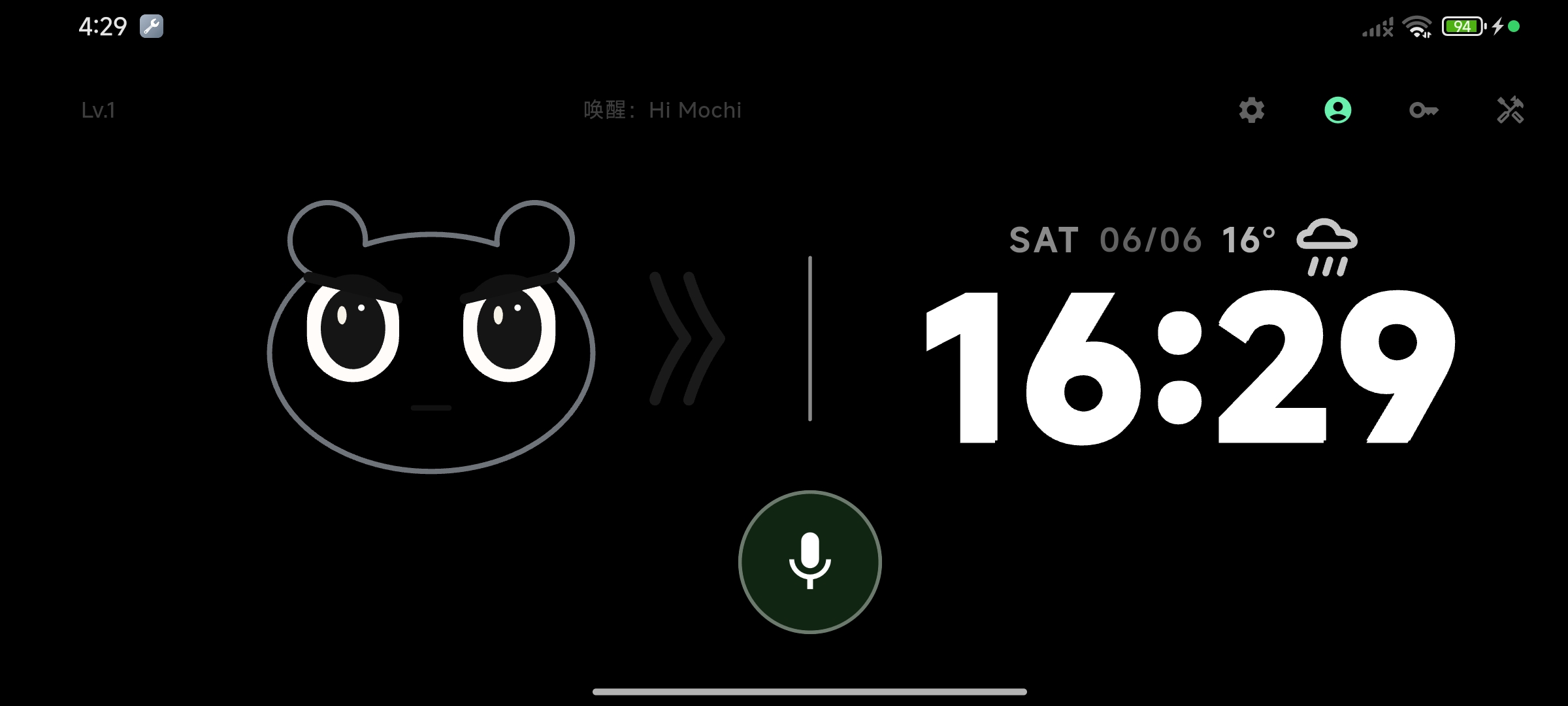
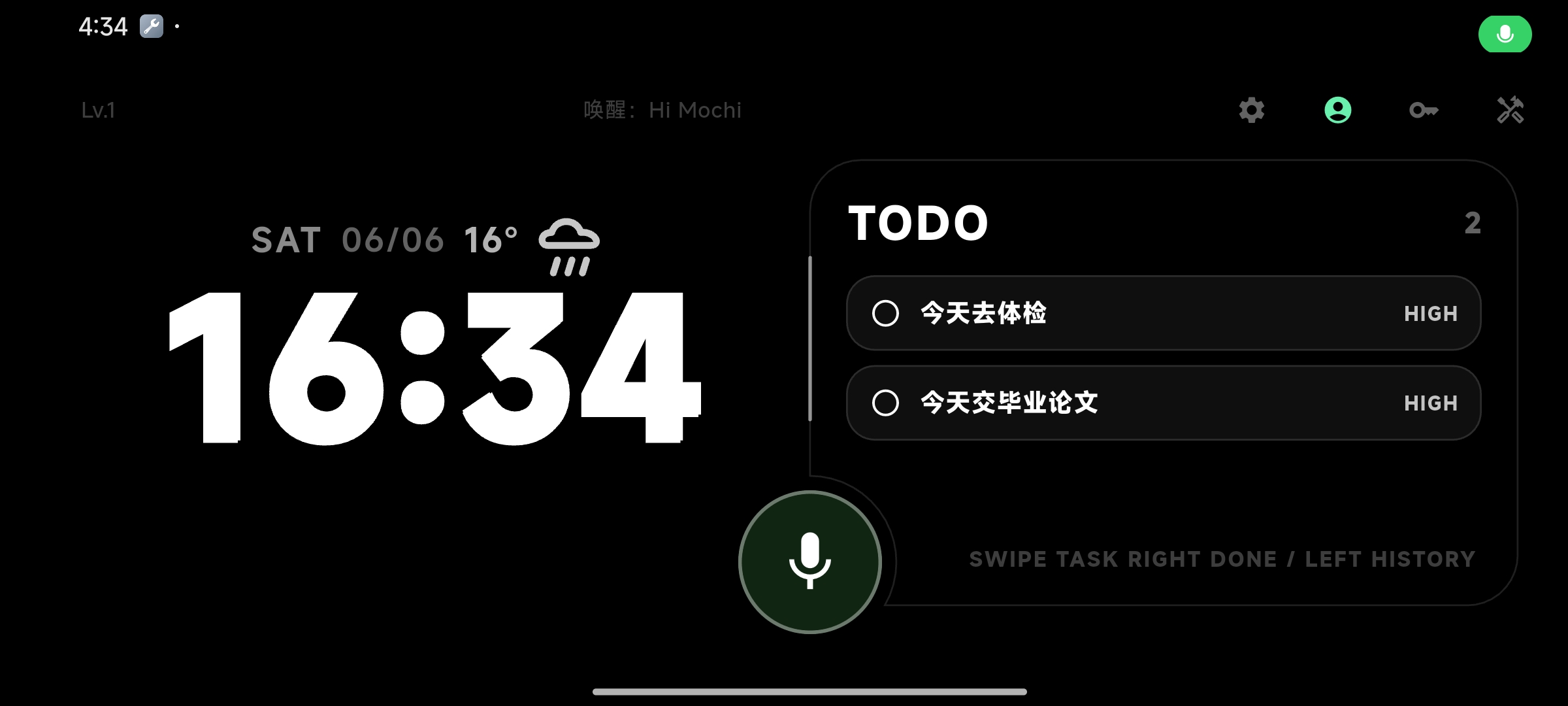
🌟 What Mochi can do for you
An AI desktop pet that lives on your screen — it’s cute, it chats, and it actually gets things done for you.
Core experience
An expressive desk pet
A pixel pet with feelings and personality, living on your desk, nightstand, workspace · not a cold tool, but a companion that interacts with you.
Just call its name
No unlock, no app launch — say "Hi Mochi" and it’s there · on-device wake word, low-power and always-on all day.
Desk clock & calendar
Lay the old phone in landscape and Mochi steps aside into a big pixel clock + calendar + weather · call it and the AI pet is back.
Smart task board
Just say "remind me about the 3pm meeting" and it lands on your board automatically · Mochi remembers everything for you.
A clever brain that takes action
OpenClaw-style AI system
An agentic brain that calls tools on its own — understands what you want and works through the steps to do it.
Powerful multi-turn reasoning
Even complex requests get thought through and broken down — multi-turn reasoning gets it right step by step.
Takes over your phone
Makes calls, sends texts, shares to WeChat & QQ — hands-free, all by voice.
Built-in Baidu Maps
A dedicated Baidu Maps subagent — find a place, plan a route, start navigation, all in one sentence.
Everything is off by default. Each capability requires your explicit toggle before Mochi can use it.
Three ways to use it
Your Mochi, your LLM
Point Mochi at any OpenAI-style RESTful API. Your data, your route. Not a power-user perk — every user gets it.
在设置里粘贴 base URL + API key
选模型(gpt-4o-mini / claude-haiku / 自部署 / qwen / deepseek 任选)
直接对话,不经过 Mochi 云
Verified compatible
Your conversations never touch our servers. We don’t store them, see them, or have any way to ask for them.
The old phone keeps evolving
Mochi doesn’t stop at your desk. Next, it becomes the gateway to your smart home — and even rides along on glasses when you head out.
WeChat / Google login
One-tap sign-in, no more email & password · your Mochi follows your account.
Matter smart-home hub
Toggle lights, AC, curtains with a sentence · the old phone on your desk becomes the gateway to your whole smart home.
Ultra-cheap AR glasses
Connect AR glasses under ¥200 · put Mochi right in front of your eyes and take it beyond the desk.
Roadmap
- ▸ Desk-pet interaction
- ▸ Voice wake & chat
- ▸ Desk clock & calendar
- ▸ Smart task board
- ▸ OpenClaw-style AI system
- ▸ Texts / calls / WeChat
- ▸ Built-in Baidu Maps
- ▸ Multi-turn reasoning brain
- ▸ WeChat / Google login
- ▸ 🏠 Matter smart-home hub
- ▸ 👓 Ultra-cheap AR glasses (under ¥200)
- ▸ Study companion mode
- ▸ More platforms, more model adapters
Download the Mochi APK
We skip Google Play — the APK lives right here. Glance at the safety notes and install.
v0.0.3 · arm64-v8a · ~76MB · Android 8.0+
Other versions +
Not sure which to pick? The default arm64 fits almost every phone from recent years. If it crashes or says “incompatible,” try the older-phone build.
🛡 Install tips
- After downloading, allow “Install unknown apps” in Settings → Security
- Only download from this site or our official GitHub Releases
- Once installed, open the Docs and run your first chat in 3 minutes
Why no store? Listing is costly and slow to review — direct downloads get you new versions faster.
📖 Docs →How’s it going? Send us a line
During the beta, every piece of feedback shapes what Mochi does next. Bugs, wishes, gripes — all welcome.